
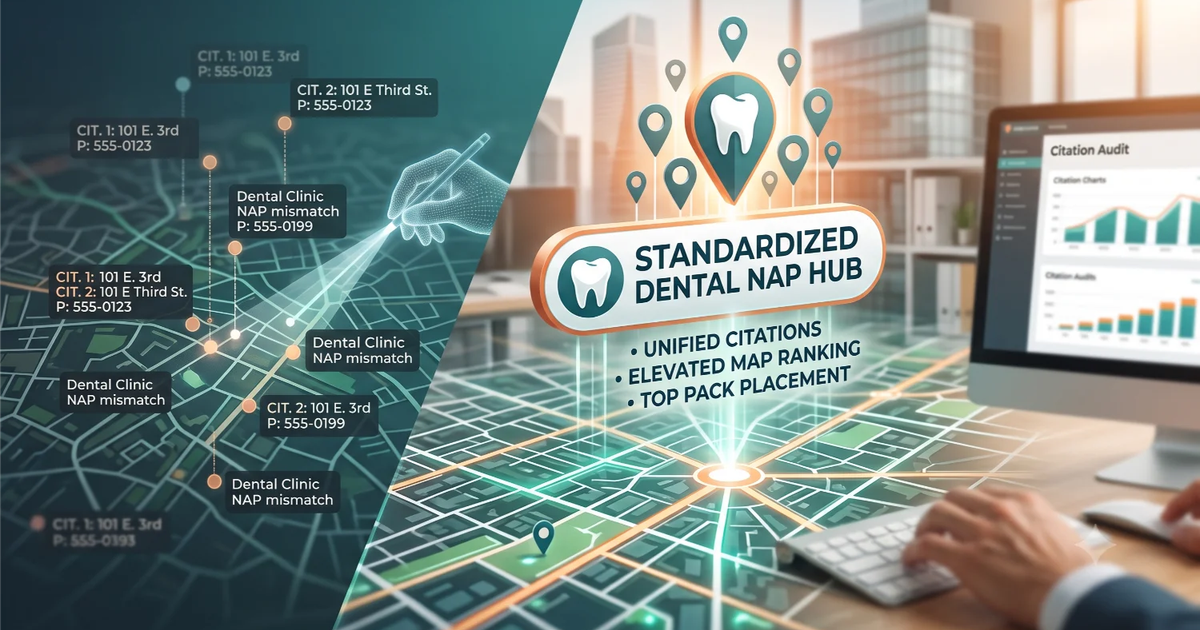
If your dental practice has ever moved locations, changed its phone number, rebranded, or had a previous owner, there is a good chance your contact information is inconsistent across the web. It may not look like a significant problem from the inside. From Google's perspective, inconsistent NAP data is a trust problem that directly suppresses your Map Pack ranking.
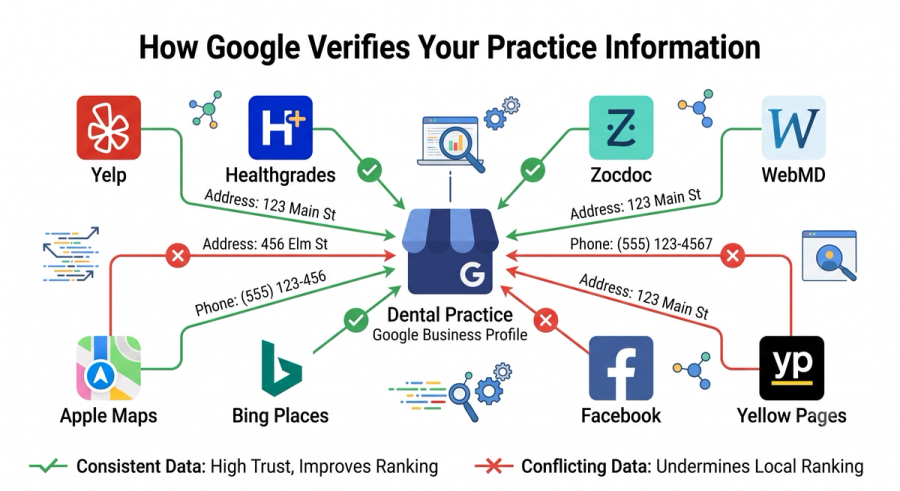
NAP stands for Name, Address, and Phone number. Google cross-references the information on your Google Business Profile against hundreds of other directories, data aggregators, and websites to verify that your practice is a legitimate, established business at the location you claim. When those cross-references conflict, Google's confidence in your listing drops, and your ranking drops with it.
This guide explains what NAP inconsistency looks like in practice, why it matters, and the specific steps to find and fix every conflict across your online presence.
Why Small Discrepancies Have Large Consequences
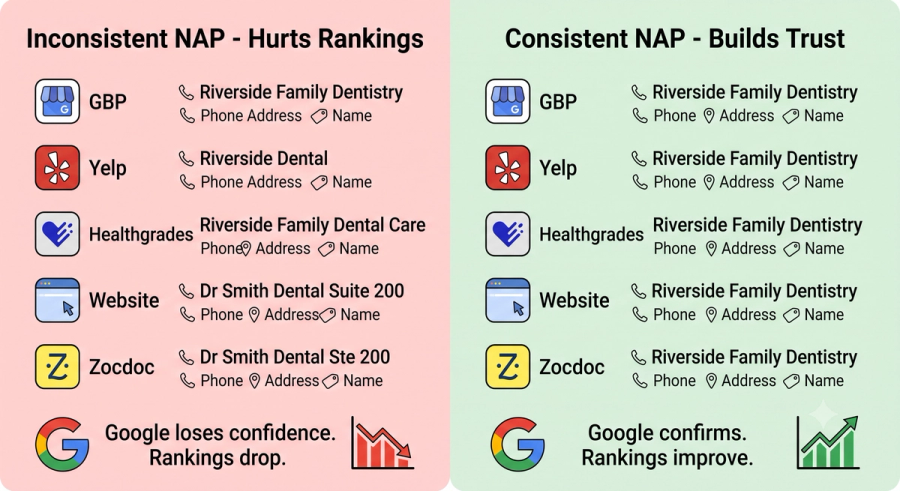
The NAP errors that hurt dental practices most are rarely dramatic. They are not fake listings or obviously wrong information. They are small variations that accumulate across dozens of directories over years of practice operation.
A practice that was previously called Riverside Dental and rebranded to Riverside Family Dentistry five years ago likely still has the old name on Yelp, Healthgrades, the Yellow Pages, and a dozen other directories that were never updated. A practice that changed its phone number when it moved offices may have the old number still live on WebMD, Zocdoc, and local chamber of commerce listings.
Google does not interpret these as the same business listed with minor variations. It interprets them as conflicting data signals that reduce its confidence in the accuracy of your GBP listing. Lower confidence means lower Map Pack position.
The Most Common NAP Errors in Dental Practices
- Practice name variations: Dr Smith Dental vs Smith Family Dental vs Smith Dental Group
- Address formatting differences: Suite 200 vs Ste 200 vs Unit 200
- Old phone numbers still live on directories after a number change
- Previous location addresses still appearing on directories after a move
- Slight differences in street name formatting: Main Street vs Main St vs Main St.
- Tracking phone numbers used in past campaigns still indexed on third-party sites
How to Find Your NAP Inconsistencies
Manual Search
Search your practice name, address, and phone number across the major directories where dental practices are typically listed. Start with Yelp, Healthgrades, WebMD, Vitals, Zocdoc, the Yellow Pages, Facebook, Apple Maps, and Bing Places. Check each listing for accuracy against your current GBP information. Note every discrepancy.
Citation Audit Tools
Tools like BrightLocal, Whitespark, and Moz Local automate the process of scanning your business information across hundreds of directories simultaneously. They flag inconsistencies and in some cases allow you to push corrections to multiple directories from a single dashboard. For practices with complex histories, such as moves, rebrandings, or ownership changes, this is significantly more efficient than a manual audit.
How to Fix NAP Inconsistencies
Once you have identified the inconsistencies, fix them in priority order based on the authority of the directory. The highest-priority sources to correct first are:
- Google Business Profile itself: verify every field matches your intended NAP exactly
- Apple Maps: significant share of mobile searches use Apple Maps by default
- Bing Places: connects to several other directory networks
- Yelp: major health review platform with its own ranking influence
- Healthgrades, Zocdoc, WebMD, Vitals: the primary healthcare directory layer
- Facebook business page: high authority social signal
- Local chamber of commerce and neighbourhood association listings
For directories where you have a claimed account, correct the information directly. For listings you cannot claim or edit, most directories have a correction request or report an error process. This takes time but the ranking impact of cleaning up a large inconsistency backlog is often one of the fastest improvements a practice can see without spending a dollar on advertising.
If you are not sure where your NAP data stands right now, ClickWave's free dental SEO audit includes a NAP consistency check that identifies every conflicting listing and shows you the priority order of fixes.
Find out exactly where your NAP data is inconsistent across the web.
Get your free dental SEO audit today
Frequently Asked Questions
How long does it take for NAP cleanup to affect my ranking?
Most practices see early Map Pack movement within 30 to 60 days of correcting their most significant NAP inconsistencies. The impact compounds as more corrections are processed and verified by Google's data systems.
My practice has not moved or rebranded. Do I still need to do a NAP audit?
Yes. Directories sometimes change your information automatically based on data they receive from third-party aggregators. A listing that was correct a year ago may have been overwritten with outdated information. An annual NAP audit is standard maintenance for any practice that takes Map Pack rankings seriously.
Is it worth paying a service to clean up citations?
For most practices with complex histories, yes. The manual effort required to find and correct every inconsistency across 50 to 100 directories makes a one-time cleanup service cost-effective relative to the ranking improvement it produces. The value grows significantly if your practice has moved, rebranded, or changed phone numbers at any point.